Arro
A native, open-source Java IDE written in Rust, built around AI agents. IntelliJ-style workflow and shortcuts, a GPU-rendered UI, and a fraction of the memory.
Preview edition. Arro is young: expect rough edges, missing features and breaking changes between versions. Bug reports are very welcome.

Why Arro
Native and fast
Rust from top to bottom and a GPU-rendered UI on GPUI. No Electron, no web view, no JavaScript in the interface.
Home for IntelliJ users
The same shortcuts (Shift Shift, Ctrl+N, Alt+Enter, Ctrl+Alt+L, Shift+F10), the same menus and the same tool windows. Moving over takes minutes, not weeks.
Light
The IDE itself stays small. The heavy lifting goes to the Eclipse JDT Language Server, which Arro starts, watches and restarts for you.
AI-native
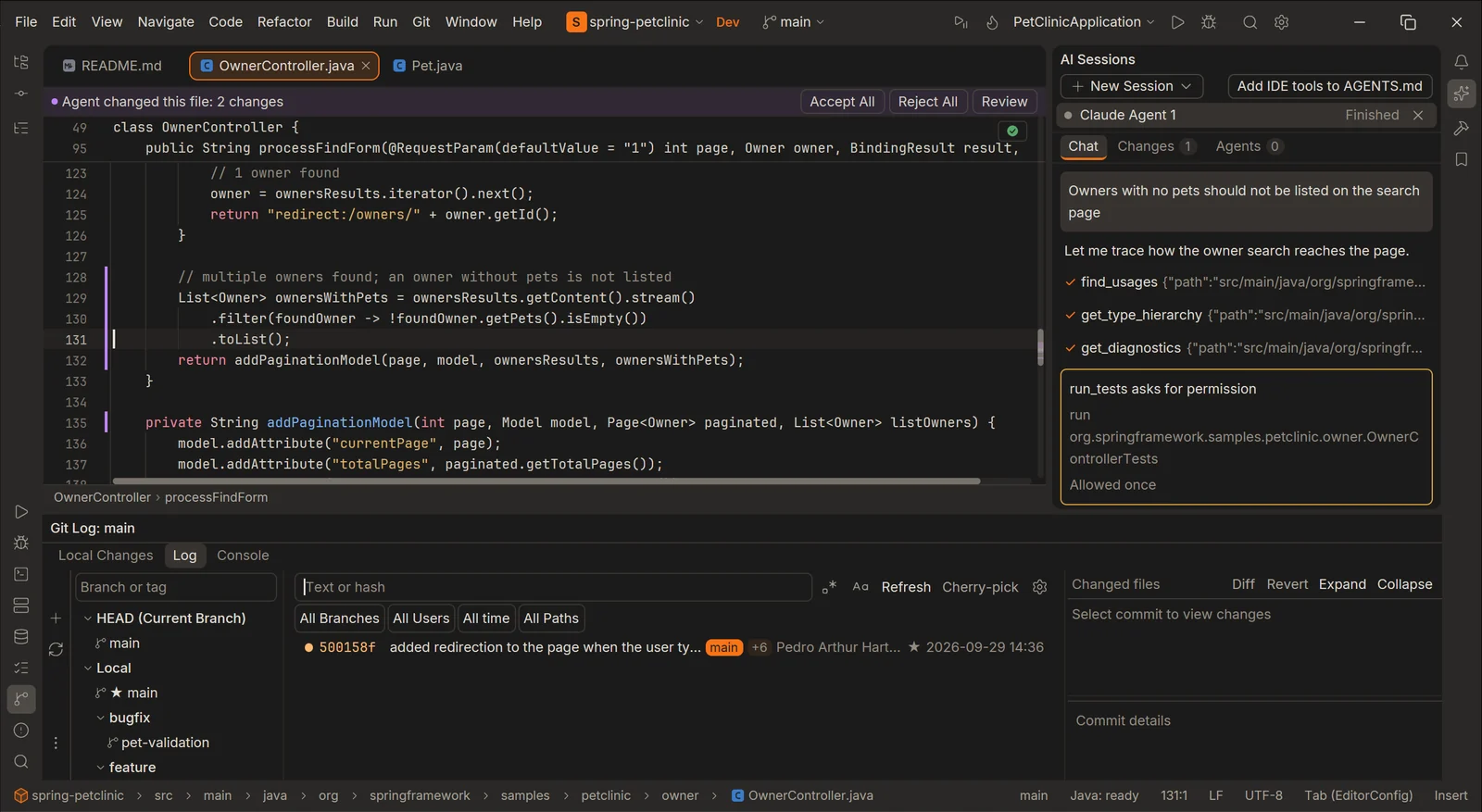
Claude Code, Codex and any MCP client work with Arro, not around it. They read diagnostics, usages and the project structure from the IDE, set breakpoints and step through a test in Arro’s own debugger. Their edits come to you as hunks to accept or reject, they build and run tests only with your permission, and Fix with AI sends an error to an agent from where you see it.
Never freezes on a tool
Builds, Git, the language server and the debugger all run outside the UI thread. A slow Maven import does not stop typing.
What it does
Java 8 to 25 projects on Maven or Gradle, with the code intelligence, run and debug tools, Spring support and Git you expect from a Java IDE.
Code intelligence
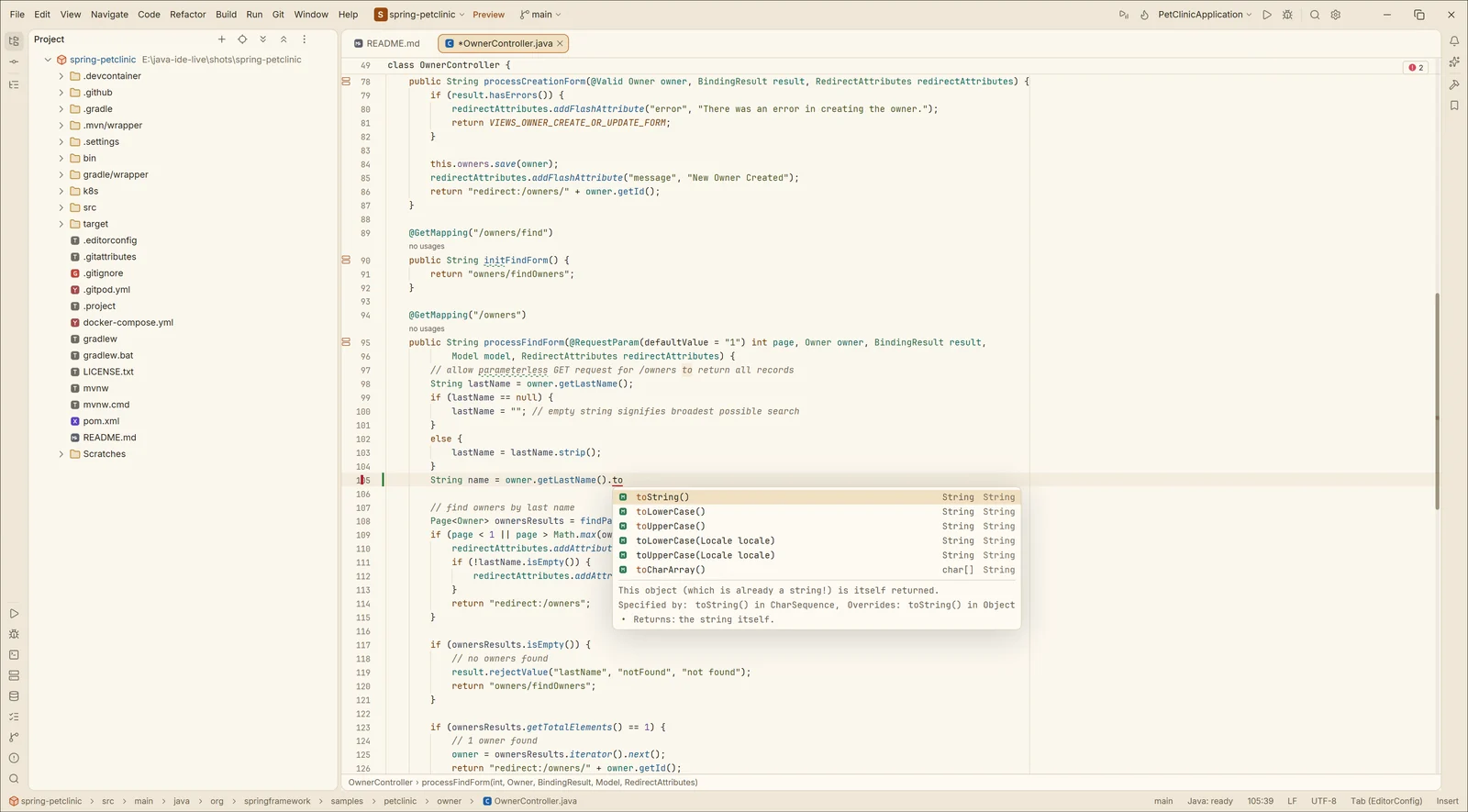
Fast completion with documentation and auto-import, Alt+Enter with quick fixes, intentions and a preview of the change, Ctrl+B that jumps at once, semantic highlighting, parameter name hints, Find Usages, call and type hierarchy, class diagrams, and the refactorings: rename, extract, inline, change signature, safe delete.
- Structural Search and Replace
- Live and postfix templates
- Reformat
- Optimize imports
- Create Test
- Inspection levels per project
Run, test, debug
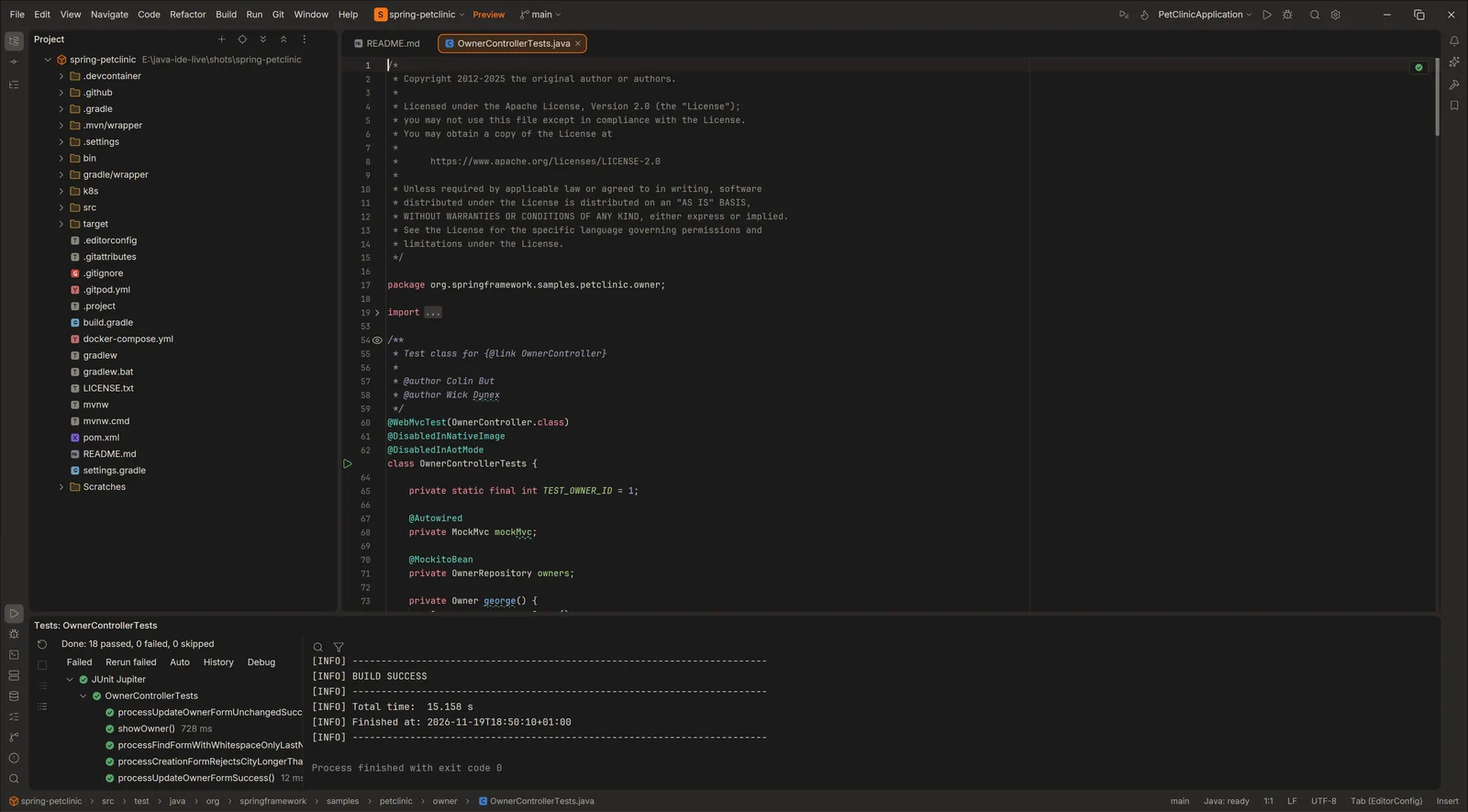
Run configurations with Before launch steps, compound runs and .env files; gutter run marks for main and tests; a test tree with rerun of failures, auto-test on save and a history of runs.
The debugger has breakpoints, stepping, an Evaluate window, hot swap, values inline in the editor, Attach to Process with the list of running JVMs, remote attach, marked objects and thousands of virtual threads. The Run and Debug consoles link to sources and can be searched. A Services window shows every Spring Boot app and main class with its state and port.
Git, built in
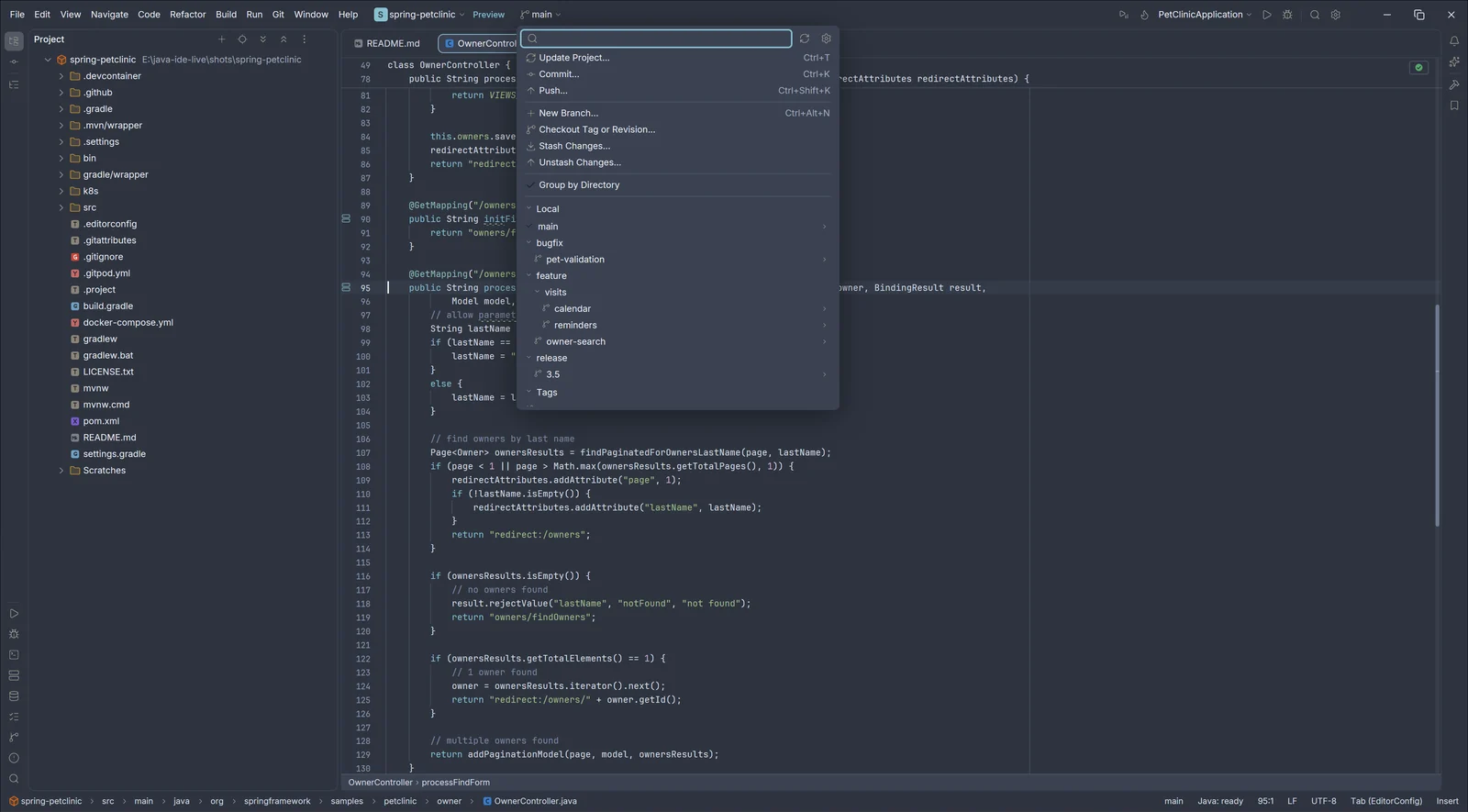
A branches popup with search, favourites, branches folded by their slashes, and checkout, merge, rebase, compare and push from one arrow. Change markers next to the line numbers show the original text and roll a change back.
A Git window with Local Changes, a Log with the commit graph, filters and the changed files of each commit, and a Git console. A diff window with a toolbar and a file counter, commits of only the hunks you pick, and a Push window with the target branch, tags and force push with lease. Shelf and stash, conflict resolution, history of a selection or a method, submodules and local history.
Themes
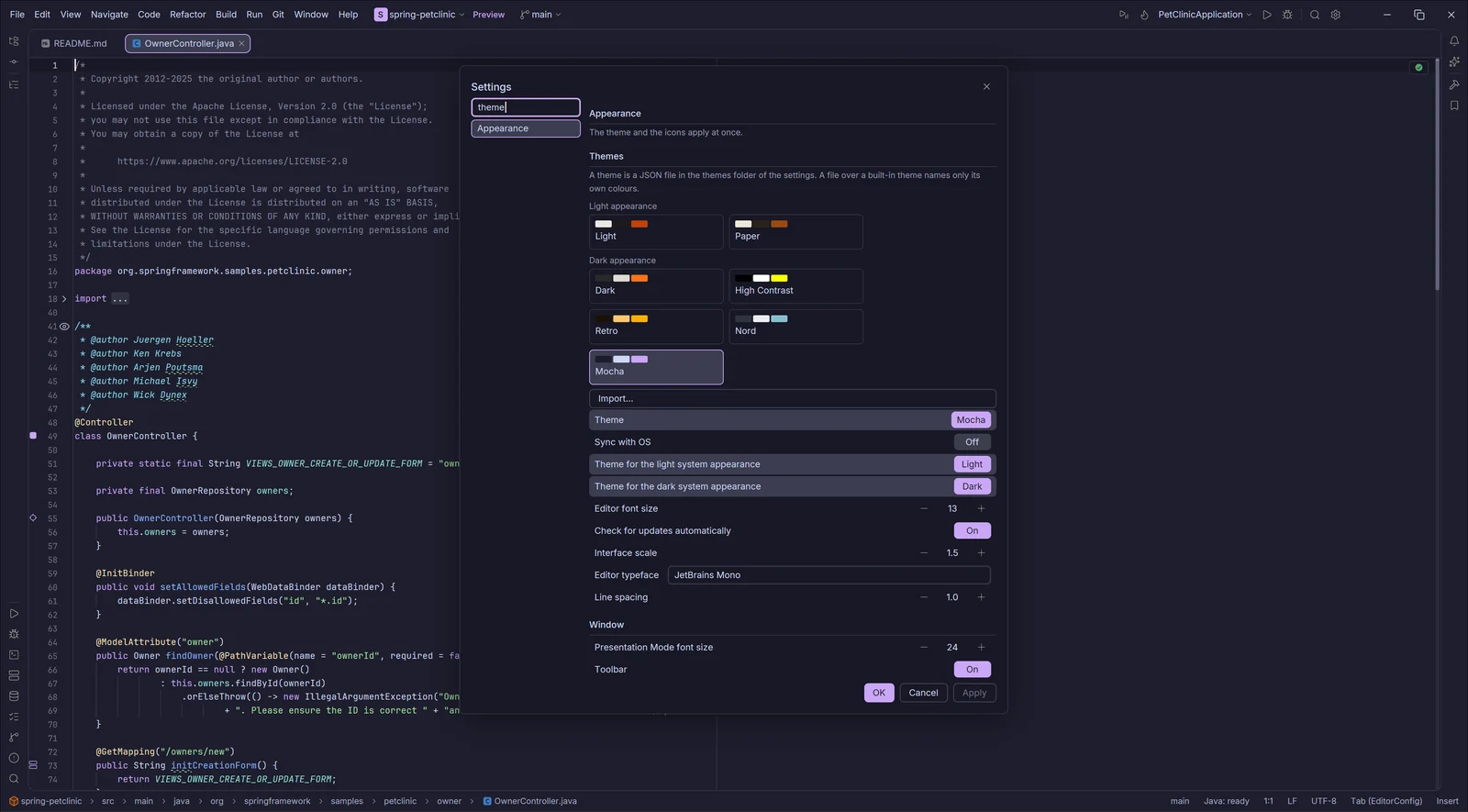
Seven built-in themes: Dark, Light, High Contrast, Retro, Nord, Mocha and Paper. Pick one for the light and one for the dark system appearance and let Arro follow the OS, or preview them with Quick Switch Scheme (Ctrl+`).
A theme is a short JSON file that can inherit from another one; an IntelliJ IDEA .icls color scheme imports in one click. Distraction Free, Zen and Presentation modes, and a configurable keymap.
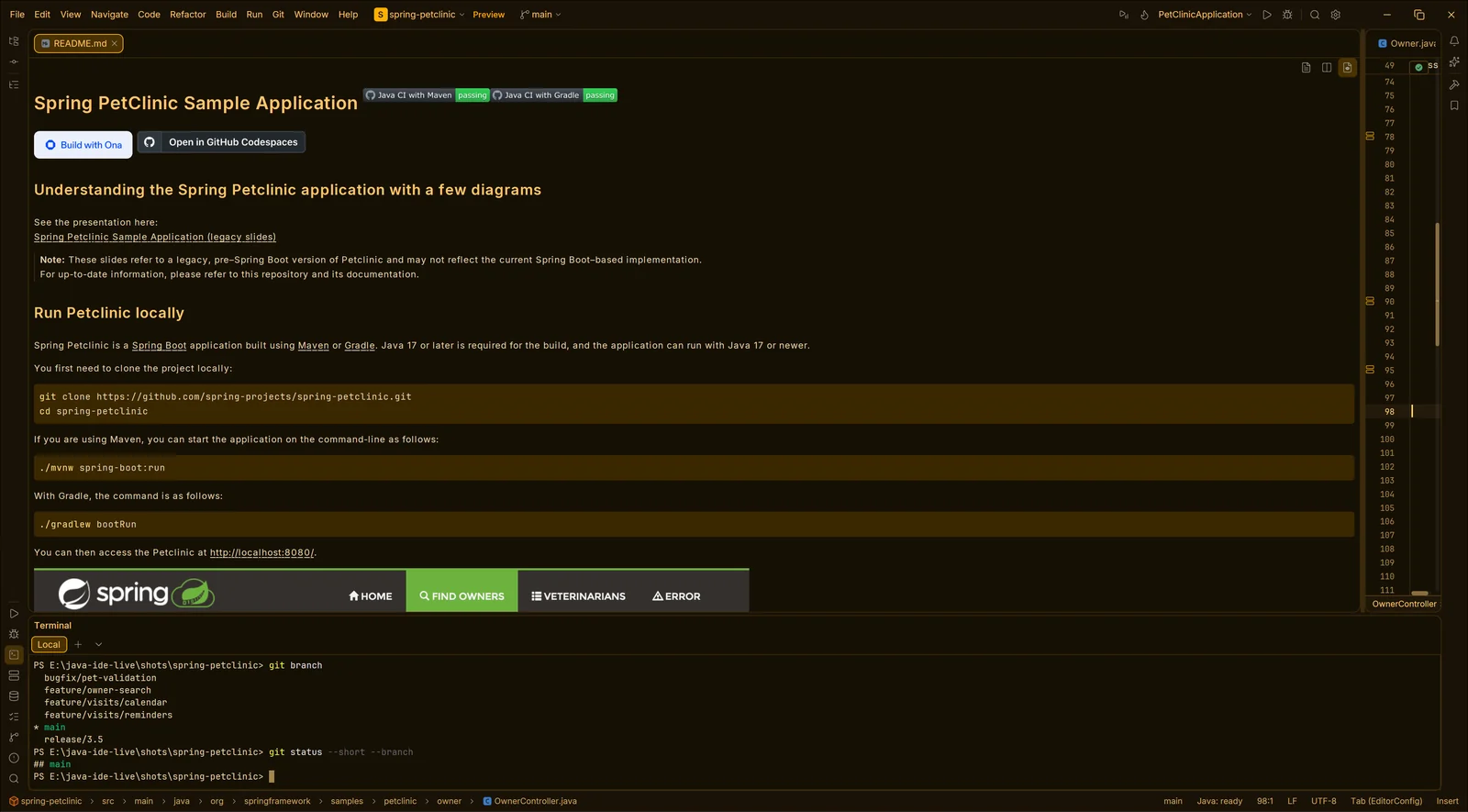
Editor and terminal
Split editors, a terminal with tabs, search and clickable paths, file type icons, folding and sticky lines. Highlighting for Python, C, C++, C#, Go, Rust, Scala, PHP, Ruby, Swift, Lua, PowerShell, Protobuf and more, next to Java.
An AI Sessions panel runs Claude Code and Codex inside the IDE, and arro-mcp connects any agent to the open project over MCP.
Spring
Completion, hover and checks for application.properties and .yml; Beans and Endpoints windows; Spring Data JPA query methods and JPQL checked against your entities; message bundles; a live Actuator tab for a running Spring Boot app.
Tools in the window
An SQL console for JDBC sources with completion, formatting, templates and .sql files, drivers that download themselves and passwords in the system keychain, an HTTP client for .http files that turns pasted cURL into requests, a profiler on Java Flight Recorder, a JShell console, a dependency analyzer, and newer dependency versions marked in build files.
And the rest
A New Project wizard with Spring Initializr, Search Everywhere, Find in Files, a terminal with tabs and splits, bookmarks, split editors, actions on save, the code style of a project’s .idea folder, Docker services, Lombok and automatic updates.
What works today
From the project README
| Editor, navigation, refactoring | Works every day |
|---|---|
| Maven and Gradle, run, tests, debugger | Works |
| Git | Works |
| Spring: configuration, beans, endpoints, message bundles, Actuator | New, works on Spring PetClinic |
| Database console, HTTP client, profiler, JShell | New |
| Windows 11 x86-64 | Supported |
| Linux x86-64 | Preview release |
| macOS, Apple silicon | Preview release |
| AI agents over MCP (code, run, tests, debugger) and the AI Sessions panel (Claude Code, Codex, OpenCode) | New |
| More languages on the same core | Planned |
Download 0.1.23
Free. Every file has a .sha256 checksum next to it on the release page. Install a JDK 25 or newer for the language server; your projects can still build on their own JDK, from 8 to 25.
Linux
Linux needs glibc 2.35 or newer (Ubuntu 22.04, Debian 12, Fedora 36 or later). The macOS build is signed ad hoc, not notarized: the first start needs one extra step. Install guide.
More about Arro
Licence and support
Arro is free software, licensed under the GNU General Public License, version 3 or later. You may use it for any purpose, study and change it, and share it, changed or not; whoever shares a changed version shares its source under the same licence.
Arro is free. If it saves you time, you can support its development through GitHub Sponsors. Found a problem? Open an issue.
Standing on the work of others
GPUI by Zed Industries for the UI, the Eclipse JDT Language Server and java-debug for Java, tree-sitter for parsing, Lucide for icon shapes, and the Inter and JetBrains Mono fonts.