Bowyer
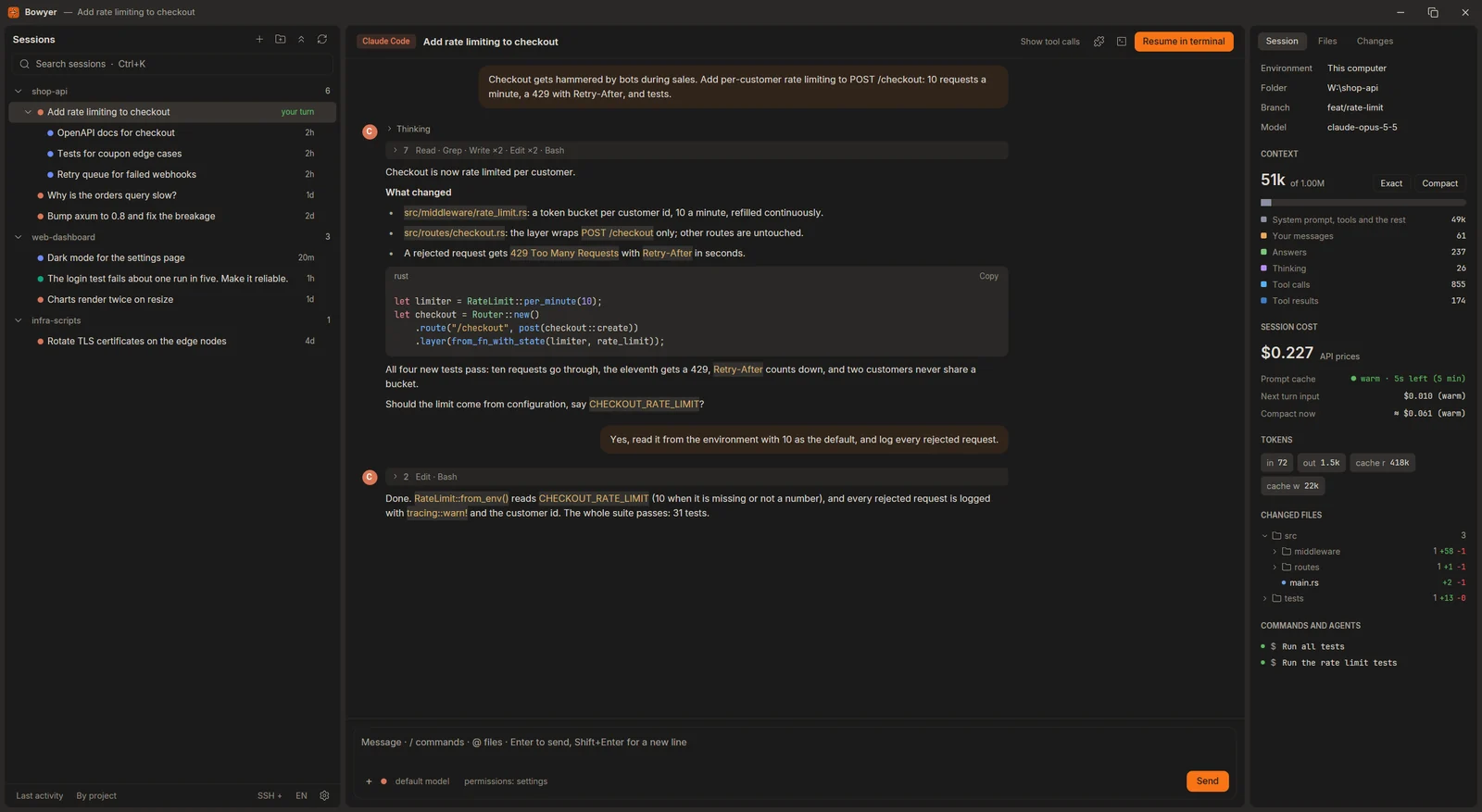
One native window for every AI coding agent you run. Claude Code, Codex, OpenCode and DeepSeek sessions, on this computer and over SSH, in one searchable tree.
Preview edition. Bowyer is young: expect rough edges and breaking changes between versions. Bug reports are very welcome.

Why Bowyer
Every agent, one place
Claude Code, Codex, OpenCode and DeepSeek each keep their history in their own folder, their own format and their own terminal. Bowyer reads all of them and shows every session you ever ran, on this machine and on your servers, in one tree you can search as you type.
Native and fast
Rust from top to bottom and a GPU-rendered UI on GPUI, the same foundation as Arro. No Electron, no web view. Hundreds of sessions load in a moment.
Your files stay yours
Bowyer only reads what the agents write. Folders, pins, names and notes live in its own database, and your agents keep working exactly as before, with or without the window open.
See what it costs
The context window split by what fills it, token totals, cost at API prices, and a countdown for the prompt cache, so you know when compacting pays off and when a pause will make the next turn expensive.
Keep going from the window
Type a message and the agent runs the turn in the background, here or on an SSH host. The answer streams in, and permission prompts and questions arrive as buttons instead of a terminal you first have to find.
What it does
Reads the sessions of Claude Code and OpenCode every day, Codex and DeepSeek Harness too, on this computer and on any host you reach over SSH.
Every session in one tree
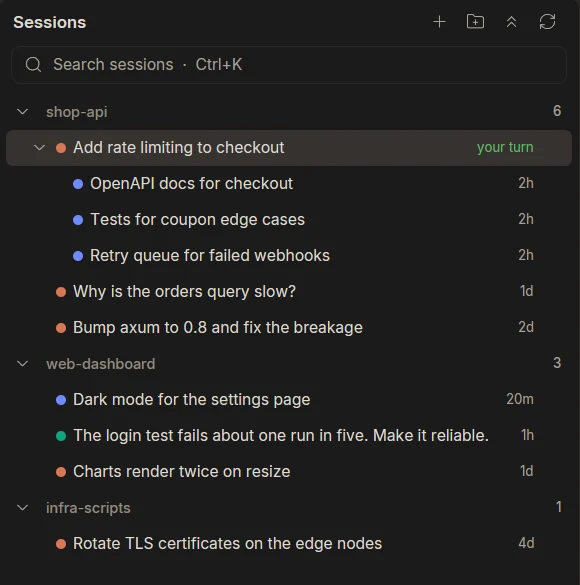
Grouped by project, environment or agent, with your own folders, drag and drop, pins, renames and four sort orders. Sub-agent and worktree sessions fold under the session that started them; long projects show the latest ten and a Show more; one button collapses everything.
Sessions running in a terminal elsewhere show working, waiting or your turn, and the taskbar flashes when one needs you. Ctrl+K searches titles, prompts, folders and the whole conversation text.
- Claude Code
- OpenCode
- Codex
- DeepSeek Harness
- SSH hosts
- Full-text search
A chat, not a terminal dump
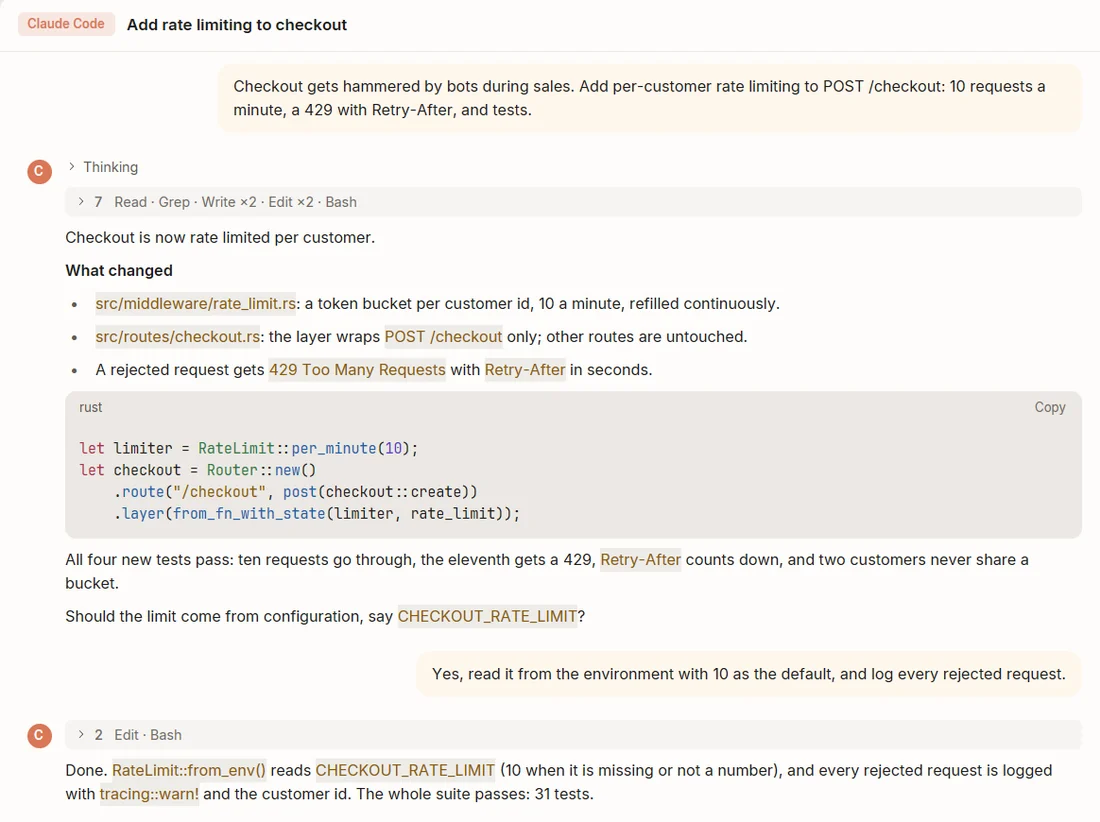
Markdown, highlighted code with Copy and Run, folded thinking, and tool calls folded into one line per run that opens into the commands, their output and the diffs. Background task notices shrink to a short line.
Paste screenshots, drop files, / for commands and skills, @ for files of the session's folder. Claude Code and OpenCode ask before a command or an edit their settings don't allow, right in the window, and Claude's questions come with their choices and a field for your own answer.
What a session holds
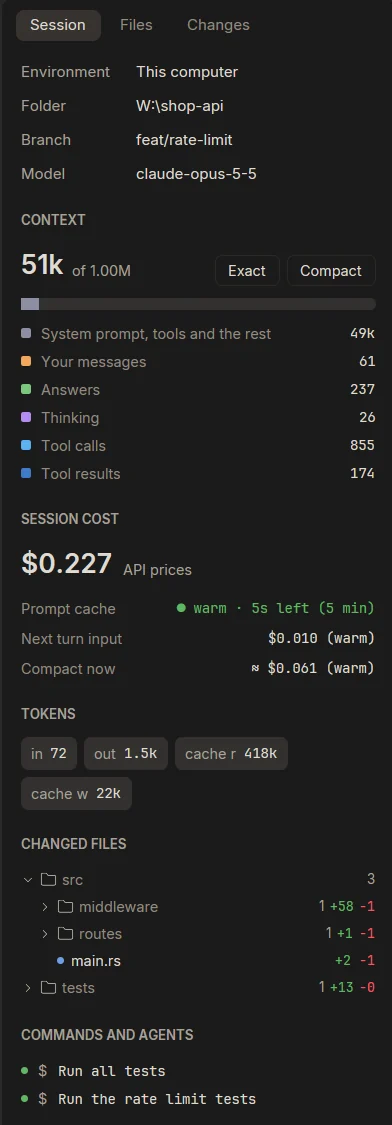
Environment, folder, Git branch and model. The context window split by what fills it, for Claude Code exactly as Claude counts it: system prompt, tools, MCP servers, skills and messages.
Token totals, cost at API prices per call, the price of the next turn and of a compaction at the current cache state, and how long the prompt cache stays warm. Every file the session changed, as a tree, and every command and sub-agent it ran.
Files, Git and a terminal
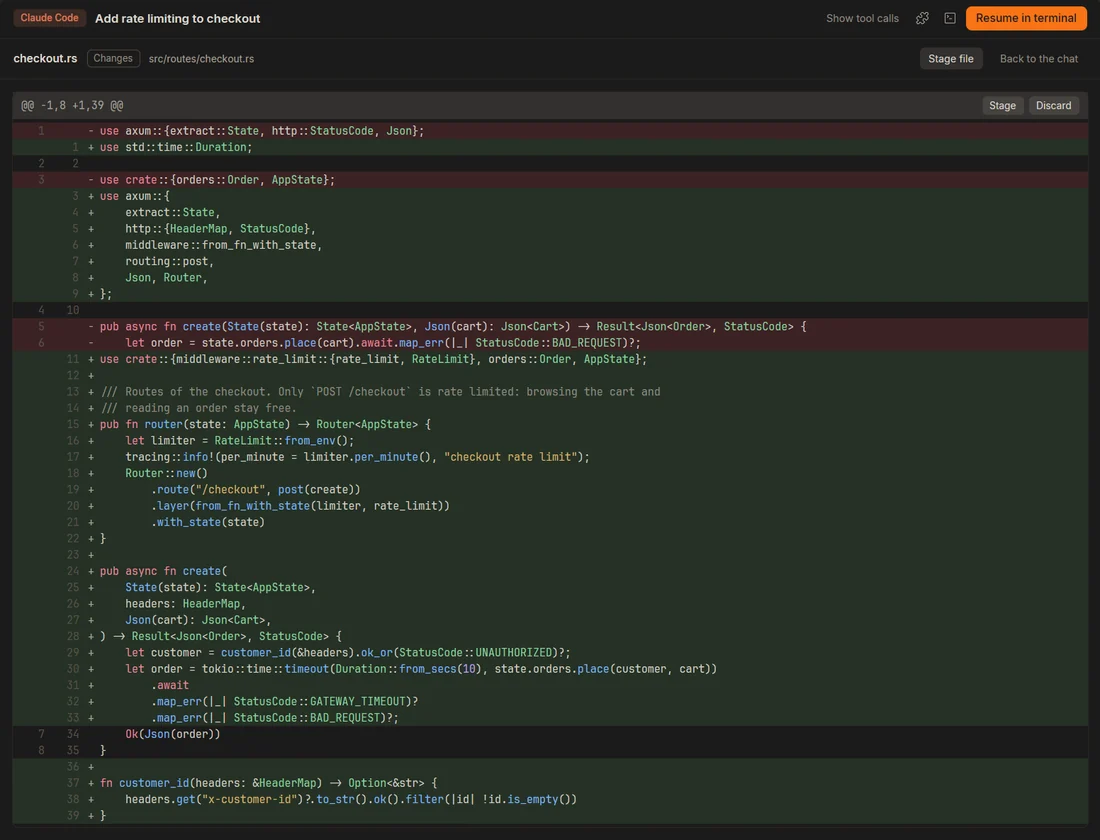
A Files tab with the folder's tree and a preview of text and pictures, here or over SSH. A Changes tab with staged and unstaged files, diffs by hunk with Stage, Unstage and Discard, commit, fetch, pull, push and branch switching.
A built-in terminal (Ctrl+`) opens in the session's folder, locally or on the SSH host, so resuming a session never starts with hunting for the right window.
SSH hosts
Add user@host with a key of its own or a password kept by the system (Credential Manager, the macOS Keychain or the Linux keyring); the connection is checked before it is saved, and an unknown host shows its key fingerprint first. Sessions, files, Git, the terminal and new turns work on the host as they do here.
Memory for your agents
bowyer mcp is an MCP server: an agent searches and reads past sessions of the project and keeps notes there, instead of carrying them in its context. Switch it off everywhere or for one project.
And the rest
MCP servers and plugins of each agent at a glance, seven themes and your own, eight languages, all settings on one page, a notification area icon on Windows and Linux, and updates from a signed feed that install only when you click.
What works today
From the project README
| Session tree, search, conversation view | Works every day |
|---|---|
| Claude Code: history, live turns, permissions, plugins | Works |
| OpenCode: history, live turns over the Agent Client Protocol | Works |
| Codex, DeepSeek Harness | Written, untested |
| SSH hosts: sessions, files, Git, terminal, live turns | Works |
| Memory MCP server, signed updates | New |
| Windows 11 x86-64 | Supported |
| Linux x86-64 | Preview release |
| macOS, Apple silicon | Preview release |
Download 0.1.3
Free. Every file has a .sha256 checksum next to it on the release page. Bowyer does not bundle the agents: install Claude Code, Codex, OpenCode or DeepSeek Harness the usual way, and Bowyer finds their sessions.
The Windows installer sets Bowyer up for the current user, without administrator rights; it is not code-signed yet, so SmartScreen may ask you to choose More info, then Run anyway. Linux needs glibc 2.35 or newer (Ubuntu 22.04, Debian 12, Fedora 36 or later). The macOS app is not notarized: Control-click it, choose Open and confirm the first time.
Licence and support
Bowyer is free software, licensed under the GNU General Public License, version 3 or later. You may use it for any purpose, study and change it, and share it, changed or not; whoever shares a changed version shares its source under the same licence.
Bowyer is free. If it saves you time, you can support its development through GitHub Sponsors. Found a problem? Open an issue.
Standing on the work of others
GPUI by Zed Industries for the UI, alacritty_terminal for the terminal, SQLite for the library and search, cargo-packager for the installers, Lucide for icon shapes, and the Inter and JetBrains Mono fonts. Much of the window's foundation comes from Arro.